


Pinming CCBIM is a lightweight BIM collaborative management platform for viewing drawings and models. The platform, through the organic linkage of three major modules—documents, modeling, and resources—combined with fine-grained permission configurations, ensures collaboration standards and security, providing strong support for full-process digital collaboration in projects.
For managers: It provides online construction document management functions, reducing time spent on offline transfers; supports multi-team collaborative modeling, lowering manual coordination costs; and through centralized management of model family library resources, avoids duplicate investments.
For executors: It supports convenient access to drawings and models on mobile devices, ensuring clear traceability of changes; meanwhile, family library resources can be efficiently reused, thereby enhancing operational efficiency.
Pinming CCBIM is a lightweight platform for viewing drawings and models and a cloud platform for engineering project file management, solving the challenges of BIM result reporting, presentation, and transfer. It loads quickly, operates efficiently, requires no BIM software installation, and synchronizes across mobile phones, computers, and tablets, enabling instant opening of models and drawings; it also allows one-click sharing to WeChat for viewing models and drawings within WeChat. Pinming CCBIM can integrate with Pinming professional software, improving the efficiency of BIM result transfer and usage through a "cloud + client" combination. It is a BIM lightweight software used by hundreds of thousands of engineering professionals.
Product Features
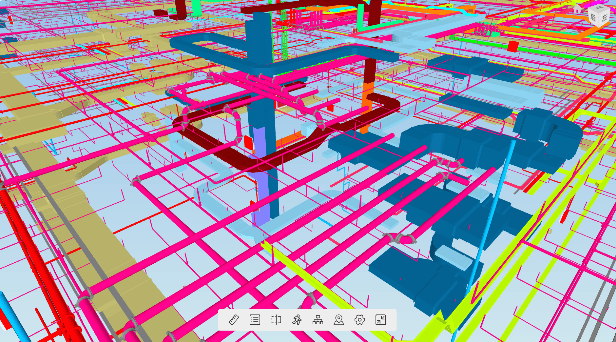
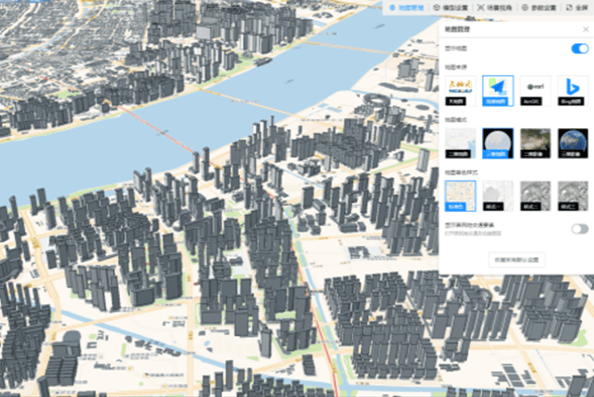
Lightweight Viewing of GIS and BIM Models
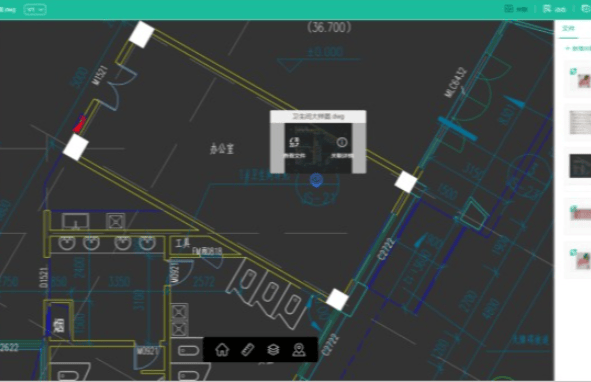
Supports online viewing of 25 types of GIS and BIM files, including oblique photography, Revit, SketchUp, Navisworks, IFC, DWG, Office, and PDF, enabling cross-platform viewing on mobile phones and computers.
Issue Tracking
Full-process tracking of rectification issues based on BIM results, including online marking → task assignment → one-click positioning → online review → form export, forming a closed-loop workflow. Every issue receives a response, and every task is followed up, significantly reducing the difficulty of multi-party collaboration.
BIM Viewpoints
Supports creating viewpoints for models and drawings to record specific perspectives, facilitating quick navigation during reporting or discussions. It also supports converting viewpoints into tasks, enabling rapid assignment and full-process tracking once issues are confirmed.
Drawing-Model Linkage
Overlays models and drawings, combining the intuitiveness of models with the rich annotations of drawings. Users can view structural models while simultaneously accessing floor plans, reinforcement drawings, etc., in the same window.
File Association
Supports bidirectional association between any two files. When viewing drawings, users can access corresponding change orders or view detailed node drawings from floor plans, recreating the internal relationships between files, reducing search frequency, and improving viewing efficiency.
File Management
Centralized file management prevents the loss of project data. Document version management avoids losses caused by untimely distribution of updated versions. Strict permission controls ensure access to every file and individual can be managed, meeting the needs of enterprise fine-grained management. Interlinked documents facilitate searching and viewing related files.
Version Comparison
Comparison of drawing and model versions visually displays file modifications, reducing communication costs during the process. Supports version control throughout the design process and final results, as well as model/drawing comparisons. Downstream disciplines can intuitively view differences in models or modifications, linking with issue tracking to provide better solutions for scenarios such as resource sharing and drawing review.