Microsoft Releases Experimental Version of AI-Integrated Terminal, Intelligent Terminal
en.Wedoany.com Reported - Microsoft has released an experimental open-source branch application called Intelligent Terminal, based on Windows Terminal, designed to integrate AI agents directly into the terminal interface, helping developers and administrators reduce frequent switching between Shell, browsers, and AI assistants. This application runs as an independent program alongside the regular Windows Terminal without replacing it.
Currently, the Windows platform has various terminal tools, including the classic console window, Microsoft's newer Windows Terminal, and third-party programs such as WezTerm, Hyper, Tabby, ConEmu, and MobaXterm. With the rise of AI agents, new terminal projects that integrate AI capabilities directly into the interface have emerged, with Warp being a notable example. Microsoft's Intelligent Terminal adopts a different strategy: instead of developing a new terminal from scratch, it extends agent functionality based on the Windows Terminal that users are already familiar with.
The core of Intelligent Terminal is a dockable area called Agent Pane, which provides persistent access to the currently running Shell session. The application is not limited to a single AI provider and supports agents that adhere to the Agent Client Protocol (ACP). By default, it uses GitHub Copilot CLI; additionally, according to the documentation, the software can recognize CLI agents based on Claude, Codex, or Gemini. Users can select specific agents and models in the settings.
A key innovation of Intelligent Terminal is automatic error detection: when a command fails to execute, the terminal prominently prompts the user and passes the error context to the agent. The agent then provides explanations or solution suggestions. This concept is not entirely new; before the advent of generative AI, tools like the command-line tool thefuck could analyze erroneous Shell commands and suggest corrected versions. However, Intelligent Terminal combines error analysis with a conversational agent that not only outputs corrected commands but also answers follow-up questions, explains different solution paths, and prepares subsequent actions. More complex tasks can run in the background, as Intelligent Terminal transfers multi-step agent tasks to separate tabs, thereby keeping the current Shell available. Microsoft lists application scenarios including analyzing large log files, checking build errors, or creating scripts.
To allow users to track multiple parallel agent tasks simultaneously, Intelligent Terminal is equipped with an independent management window that displays ongoing and completed tasks and allows recovery when needed. Microsoft has also expanded the Command Palette: by adding a question mark before a command, users can launch agent tasks directly from the Command Palette without leaving the working environment, and the terminal automatically passes the current Shell context. For quick access to new features, Microsoft has introduced an agent status bar that consolidates the agent window, error detection, and session management in one place.
In terms of privacy protection, Microsoft describes Intelligent Terminal as a local transport layer between the terminal and the agent software. The application itself does not communicate with cloud services; instead, it only passes input and Shell context to the selected agent. How this data is handled depends on the specific provider. Intelligent Terminal does not permanently store conversation records, but it may still send telemetry and diagnostic data to Microsoft. Microsoft explicitly states that Intelligent Terminal is an experimental project, released as a standalone application running in parallel with the regular Windows Terminal. With this release, Microsoft will also discontinue the Terminal Chat feature in the Canary channel. The system requirements are Windows 11 22H2 and above. Information sources include Microsoft's announcement about Intelligent Terminal and the project's GitHub repository, with the feature set of the first version 0.1.0 available in the corresponding release notes.
This article is compiled by Wedoany. All AI citations must indicate the source as "Wedoany". If there is any infringement or other issues, please notify us promptly, and we will modify or delete it accordingly. Email: news@wedoany.com
Related Products


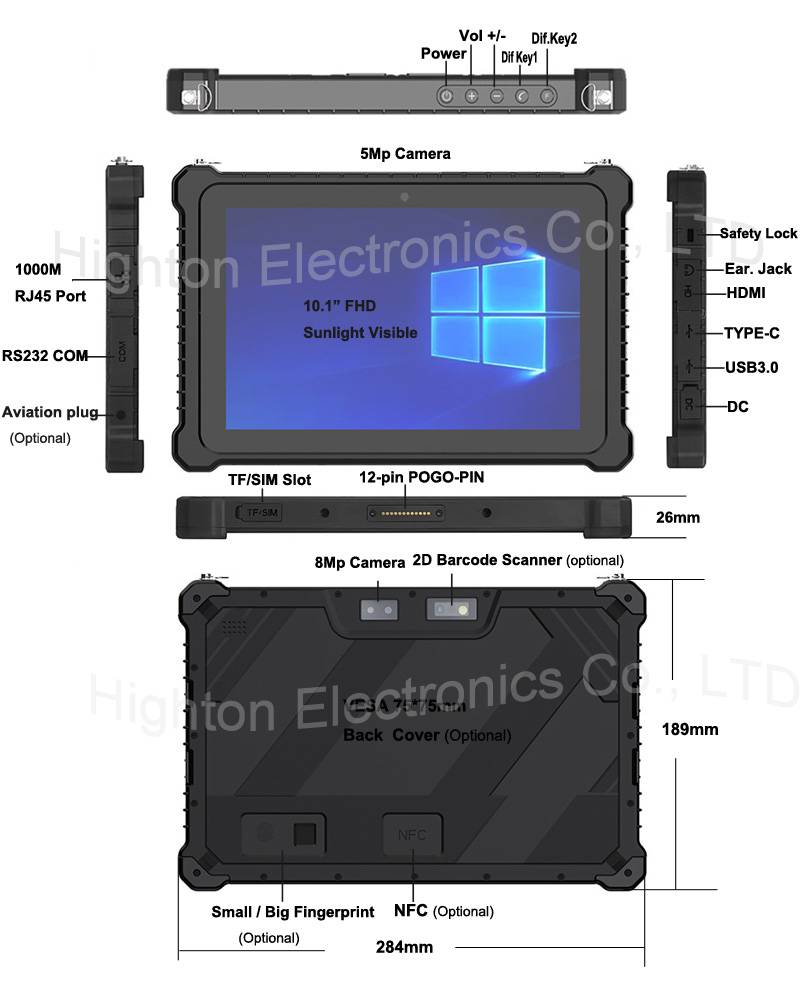
Hot Selling 10 Inch Intel N5100 I5 I7 FHD 8 +128GB 16+256GB Win10 Pro Win11 Pro 4G 5G Rugged Tablet PC Pad with NFC Barcode
Highton Electronics Co., Ltd.

Multi-function Marine Monitoring Low-altitude Detection Radar Sea-air Boundary Ocean Dynamic Environment Measurement
Chengdu Dixin Technology Co., Ltd.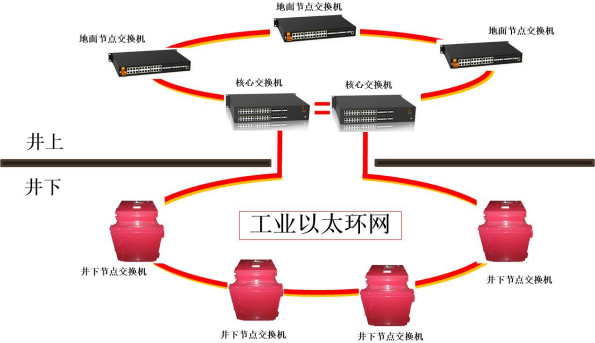
Mine Explosion-proof and Intrinsically Safe Industrial Ethernet Ring Network (10 Gigabit/Gigabit)
Chongqing Mas Sci&Tech Co., Ltd.

GYTA Type Non-Self-Supporting Aerial/Duct Optical Cable
TONGDING INTERCONNECTION INFORMATION CO., LTD.

TWP16 P-Band Tropospheric Wind Profile Radar
China Huayun Meteorological Technology Group Co., Ltd.