
en.Wedoany.com Reported - Apple has introduced a new "Repair Assistant" system in its iPhone repair tools, enabling automatic repair completion and software issue correction. This feature requires the device to be connected to Wi-Fi, have a battery level of at least 20%, and be updated to the latest iOS version.

Users can find the "Restart and Complete Repair" option by navigating to Settings > General > About > Parts and Service History. After following the on-screen instructions, the device will automatically complete the repair and make the installed components ready, without relying on a Mac or external software.
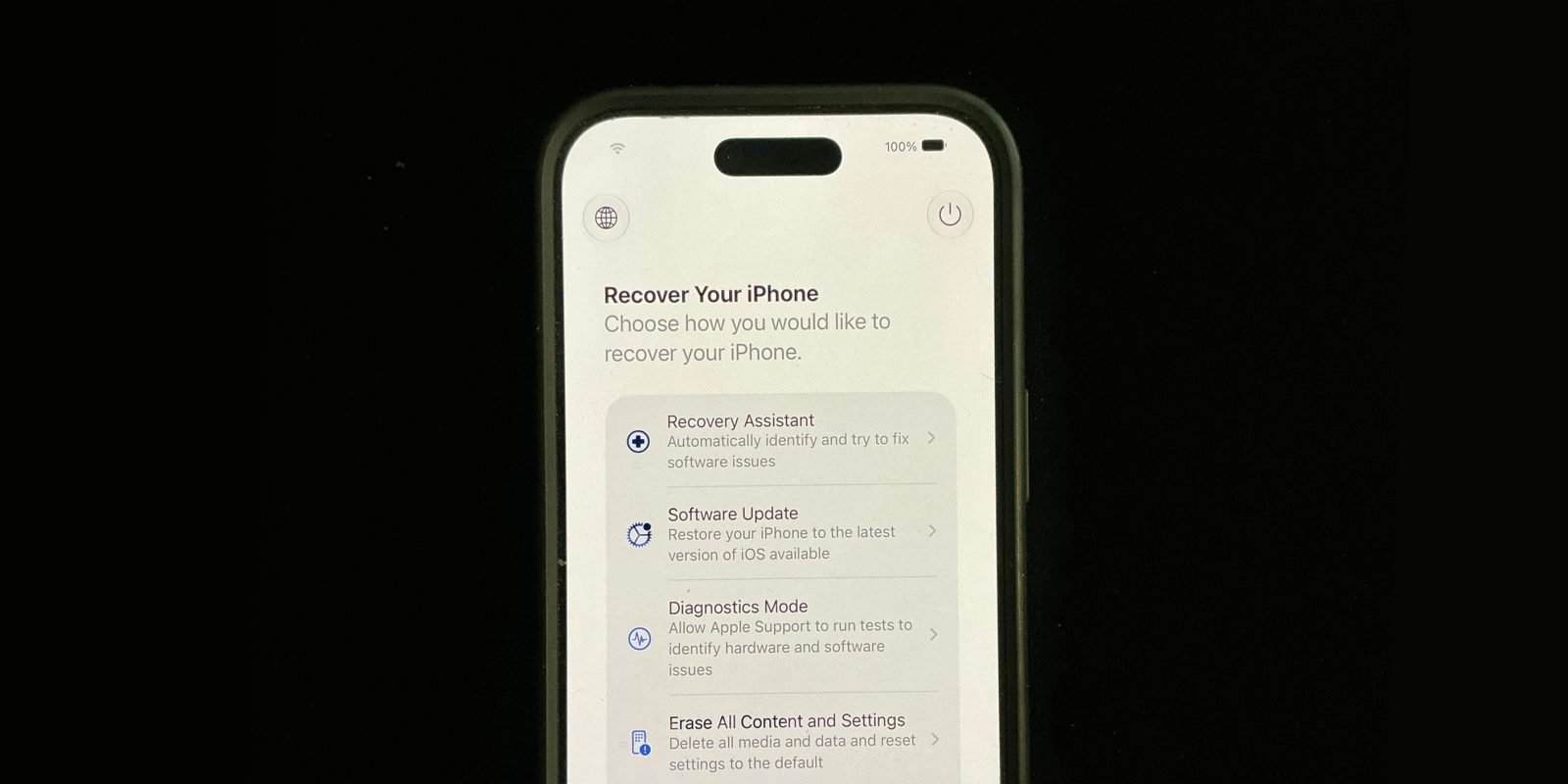
Apple previously had diagnostic and repair-related modes, and this new phase aims to simplify the process and increase automation. The iPhone is no longer limited to diagnostic mode; it can now complete the configuration of a just-performed repair and restore the system to normal after a restart. This feature is part of Apple's efforts to improve the device repair experience without compromising security or control, with the goal of reducing unnecessary steps for users and lowering the probability of repair failure due to incomplete processes or configuration errors.
Currently, this feature is available for iPhones and iPads compatible with the latest iOS or iPadOS versions (iOS 27, iPadOS 27). Apple has explicitly stated that an internet connection is required to complete the repair. If the process fails, the system will prompt the user to retry, check component installation, or contact technical support.
This article is compiled by Wedoany. All AI citations must indicate the source as "Wedoany". If there is any infringement or other issues, please notify us promptly, and we will modify or delete it accordingly. Email: news@wedoany.com