
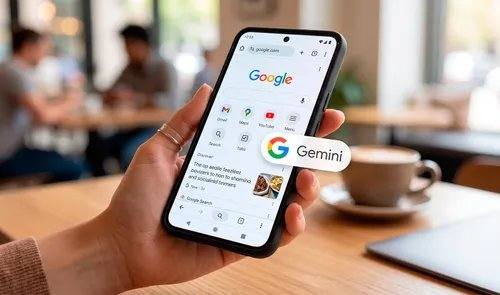
en.Wedoany.com Reported - Google has begun rolling out a quick access button for its AI assistant "Gemini" in Chrome for Android, located at the center of the bottom navigation bar. According to information shared by well-known tech leaker Leopeva64 on social media platform X, this new entry point aims to resolve the previous interaction barrier where users had to switch apps or were limited to a single tab when invoking AI in the mobile browser.
The new version of Chrome has redesigned the bottom toolbar layout. The new Gemini button is placed between the classic "Home" button and the active tab selector, and users can activate this design adjustment by long-pressing the address bar. The interface aesthetics have also been revamped, with the "Back" button integrated into the left side of the address bar and settings consolidated into the vertical three-dot menu on the right, achieving a more symmetrical interface that is easier to operate with one hand. According to reports, this update has been active for several days, and the leaker has already received this feature in the stable version of Chrome.
Previously, when users wanted to use Google AI for complex queries on mobile devices, they had to launch the standalone Gemini app or could only ask questions about the single active tab on the current screen. With the integrated Gemini button, the AI can simultaneously interact with, compare, and synthesize information from multiple open tabs, inheriting the functionality of the side panel in Chrome desktop. Software engineers have optimized system performance so that this AI channel runs natively, without needing to reload device memory, duplicate processes, or open external applications.
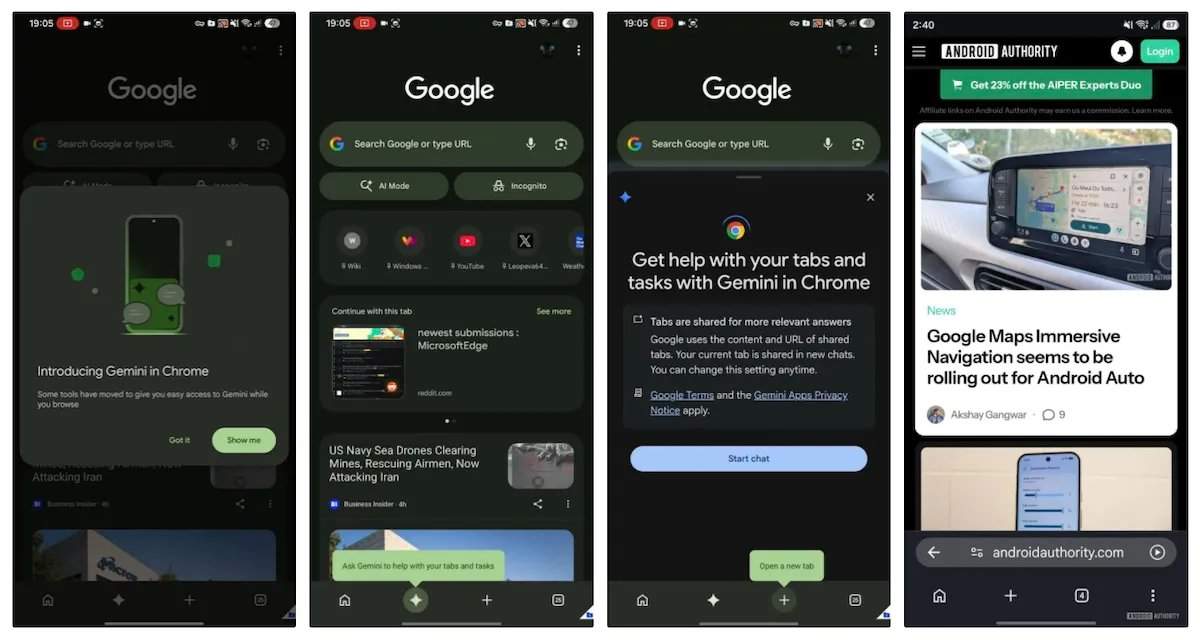
Although the initial deployment prioritizes the Android platform, Google has confirmed that the new toolbar with this smart button will be rolled out to Chrome for iOS in the coming weeks. Users need to update Chrome for Android to version 150 or higher to enable the bottom navigation bar and see the iconic sparkle icon of Gemini. Upon tapping, an interactive bottom menu will pop up, which can be used to summarize news articles, compare data from multiple shopping websites, or translate complex forum posts in real time.